
Introduction
Calculating the difference between two dates is a common requirement in chatbot applications. For instance, in reservation bots, you may need to determine the number of days between a customer’s check-in and check-out dates. This guide will walk you through the steps to compute the difference between two dates, or between a specific date and the current date, using Fliqr AI.Prerequisites
- Basic knowledge of Fliqr AI.
- Understanding of custom fields and variables in Fliqr AI.
Steps Overview
Step 1: Collect the Dates
First, ensure that you have collected the two dates you want to compare. These dates can be user-provided dates (e.g., check-in and check-out dates).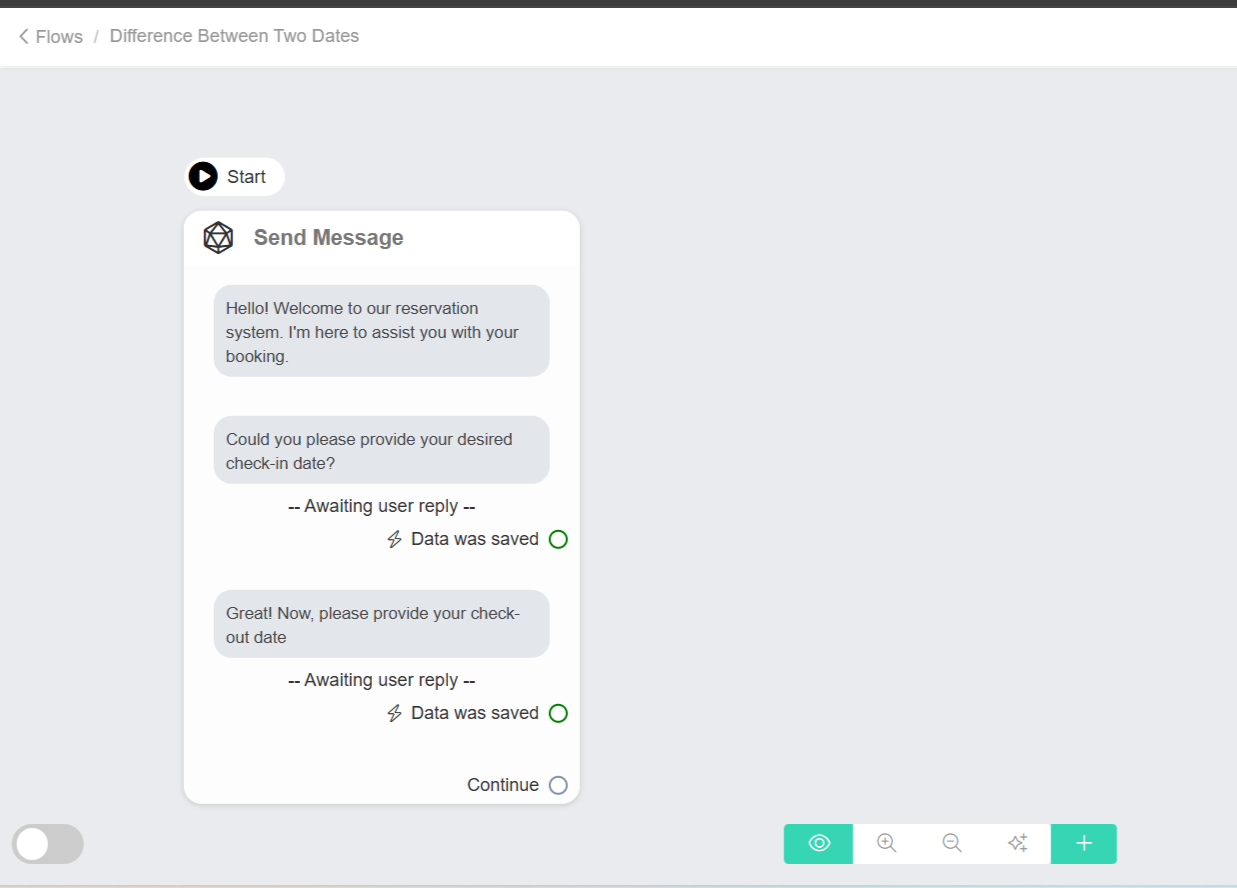
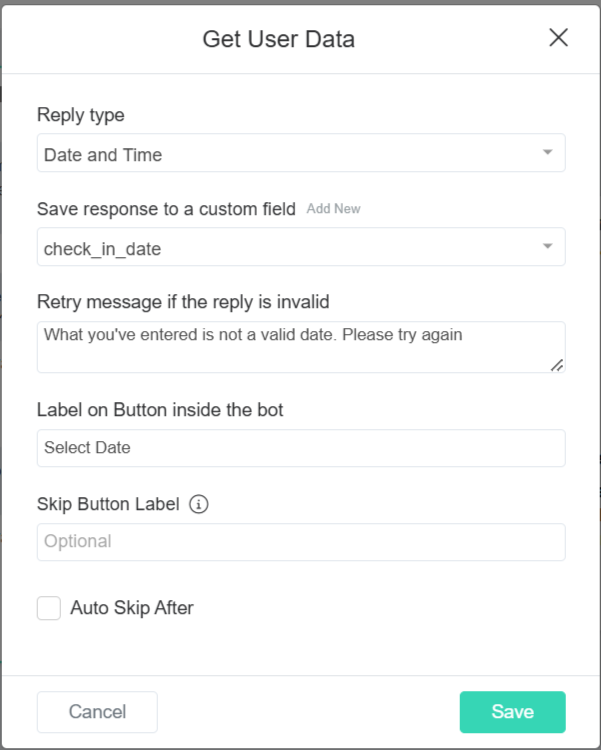
Step 2: Convert Dates to Total Number of Seconds
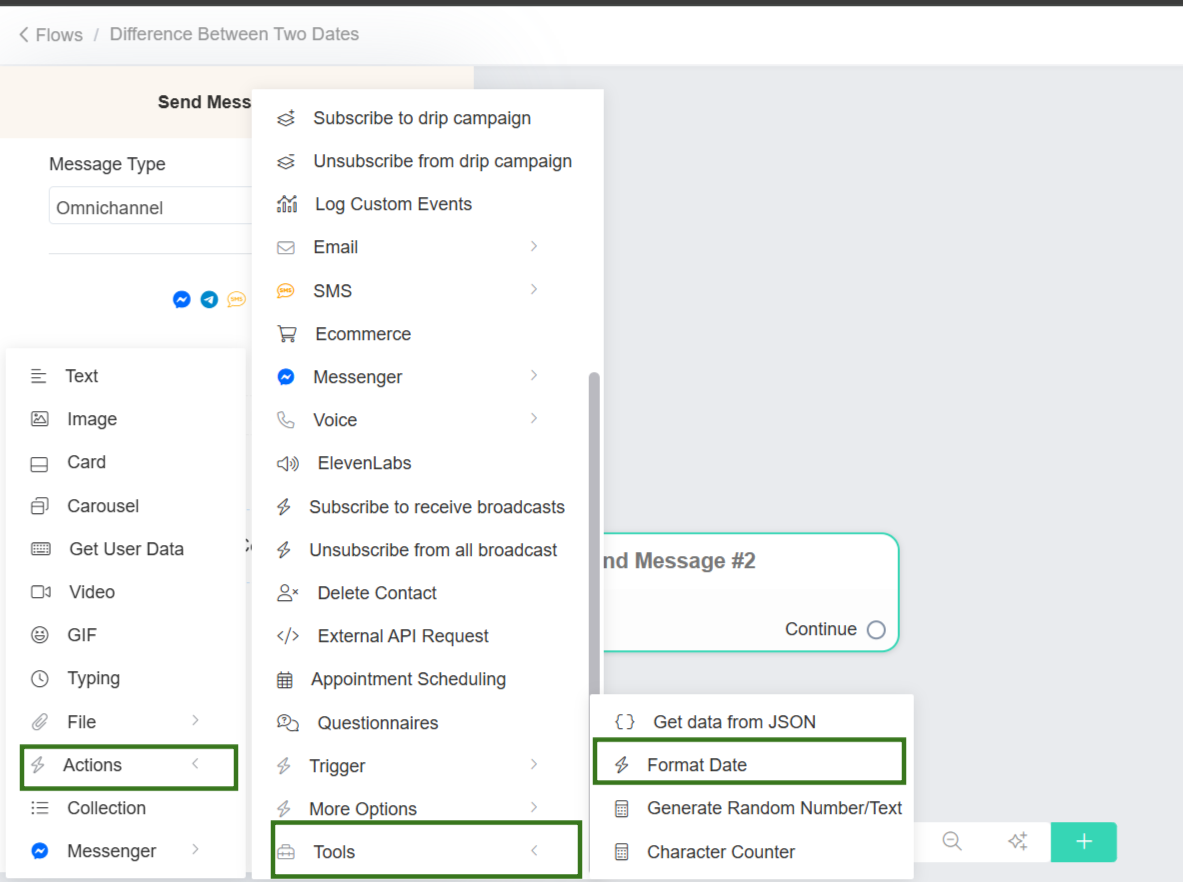
To calculate the difference between two dates, you need to convert each date into a numerical format representing the total number of seconds since January 1, 1970 (the Unix epoch).Conversion Process
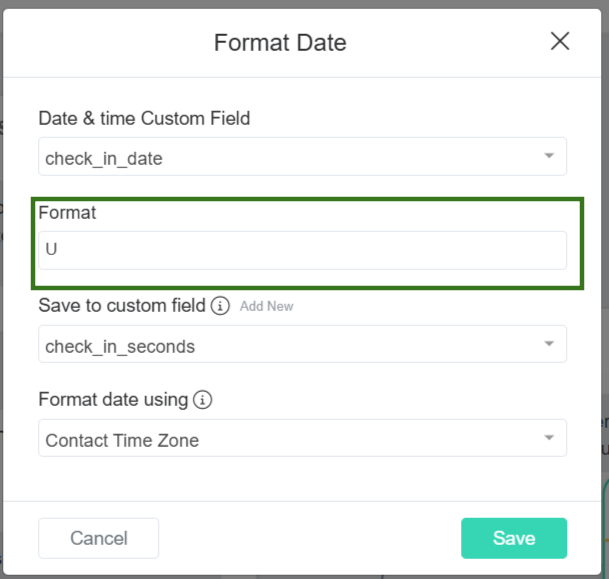
Configure the Check-In Date:
- Under Date & Time, select the custom field with the first date, such as the
'check_in_date'custom field. - In the Format field, enter
'"U"'to format the date as seconds since the Unix epoch. - Choose a new custom field, such as
'check_in_seconds', to save the formatted date. - Click Save.
Step 3: Store the Converted Seconds in Custom Number Fields
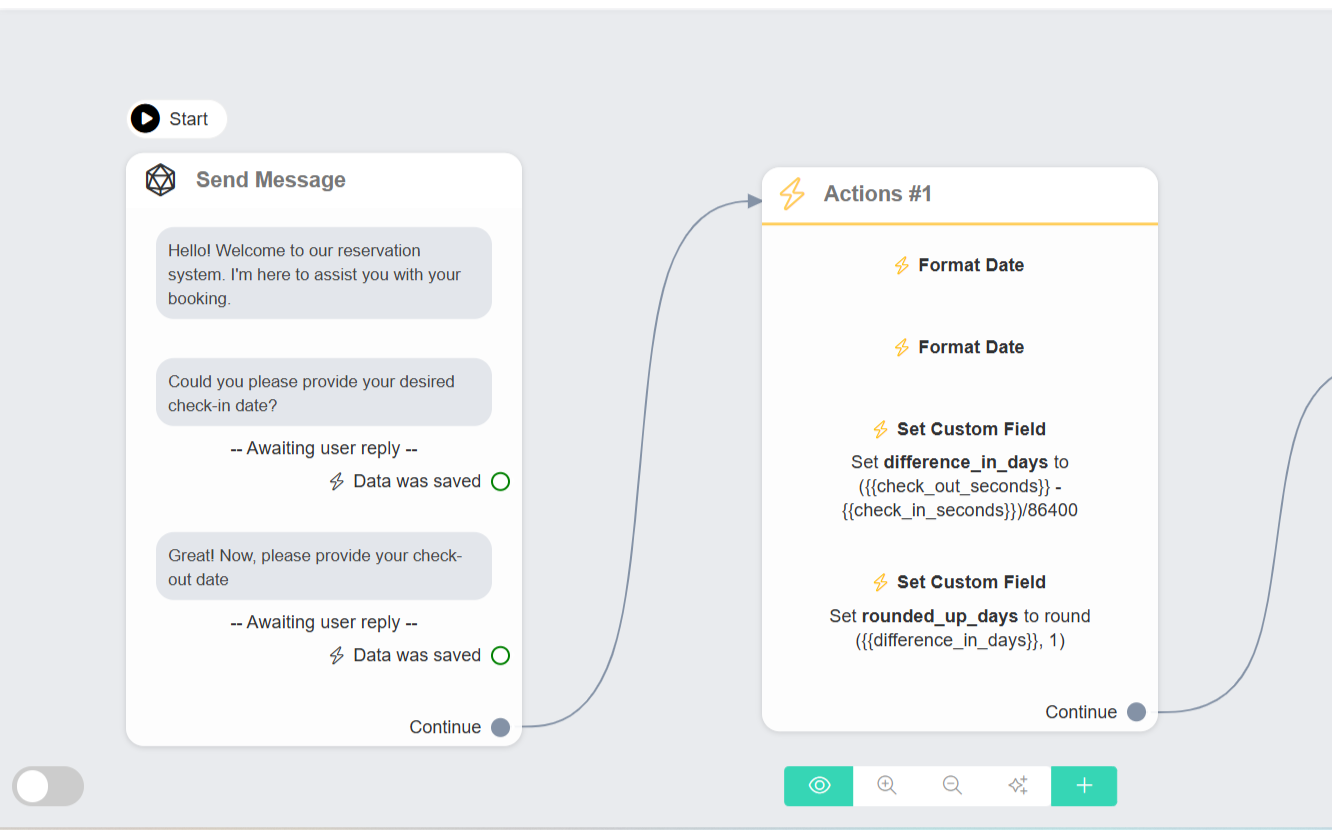
Create custom number fields to store the total seconds for each date:'check_in_seconds': Stores the total seconds for the check-in date.'check_out_seconds': Stores the total seconds for the check-out date.
Step 4: Calculate the Difference in Seconds
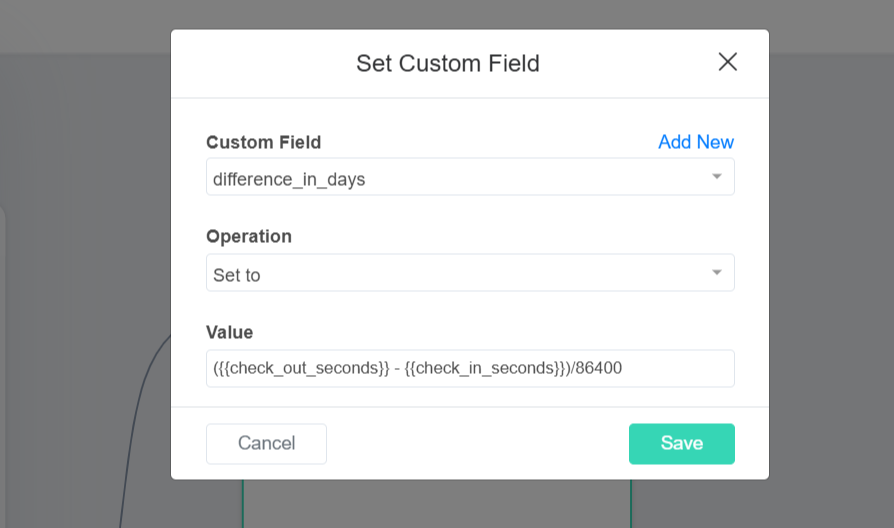
Step 5: Convert Seconds to Days
To convert the difference from seconds to days:Why Divide by 86,400?
This formula converts the time difference from seconds into days, based on the number of seconds in one day:- 60 seconds = 1 minute
- 60 minutes = 1 hour
- 24 hours = 1 day
'60 * 60 * 24 = 86,400' seconds per day.
Dividing by 86,400 gives the exact number of days between the check-in and check-out dates.
Step 6: Output the Result
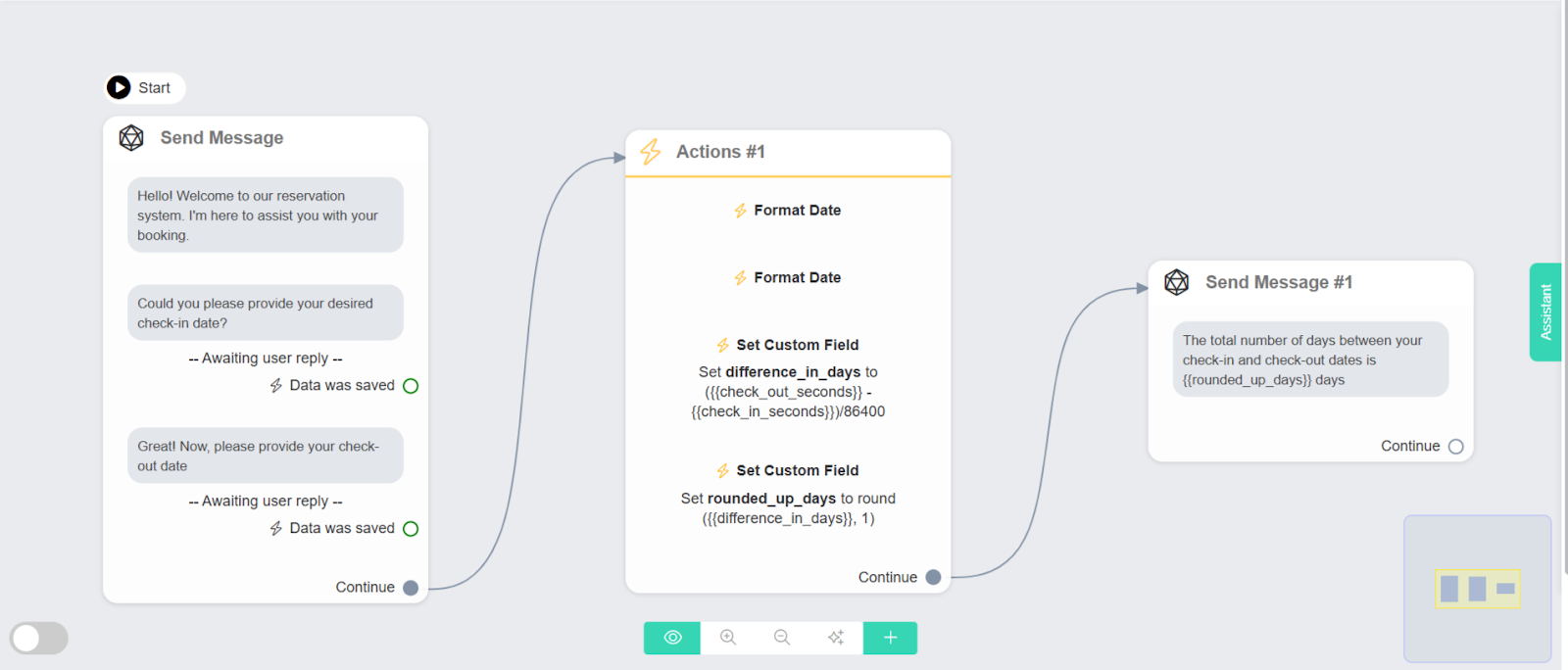
Use the'difference_in_days' field to inform the user of the number of days between the two dates.
Example:
Your stay is for nights.
Advanced Usage
Calculating Age
Calculating Age
To calculate a user’s age based on their birth date:
- Get the Current Date and the user’s birth date.
- Convert Both Dates to Seconds.
- Calculate the Difference: Subtract the birth date from the current date.
- Divide by the Number of Seconds in a Year (approximately 31,536,000).
Countdown Timers
Countdown Timers
For events occurring in the future:
- Get the Current Date and the event date.
- Convert Both Dates to Seconds.
- Calculate the Difference.
- Convert to Days, Hours, or Minutes as needed.
Frequently Asked Questions
Q1: Can I calculate the difference in weeks or months?
Q1: Can I calculate the difference in weeks or months?
- Weeks: Divide the difference in seconds by 604,800 (seconds in a week).
- Months: Since months vary in length, consider using a library or API for accurate month calculations.
Q2: What if the user inputs dates in different formats?
Q2: What if the user inputs dates in different formats?
Utilize our Date and Time Format Documentation to handle various date formats.