
- General
- Payments
- Shipping
- Checkout
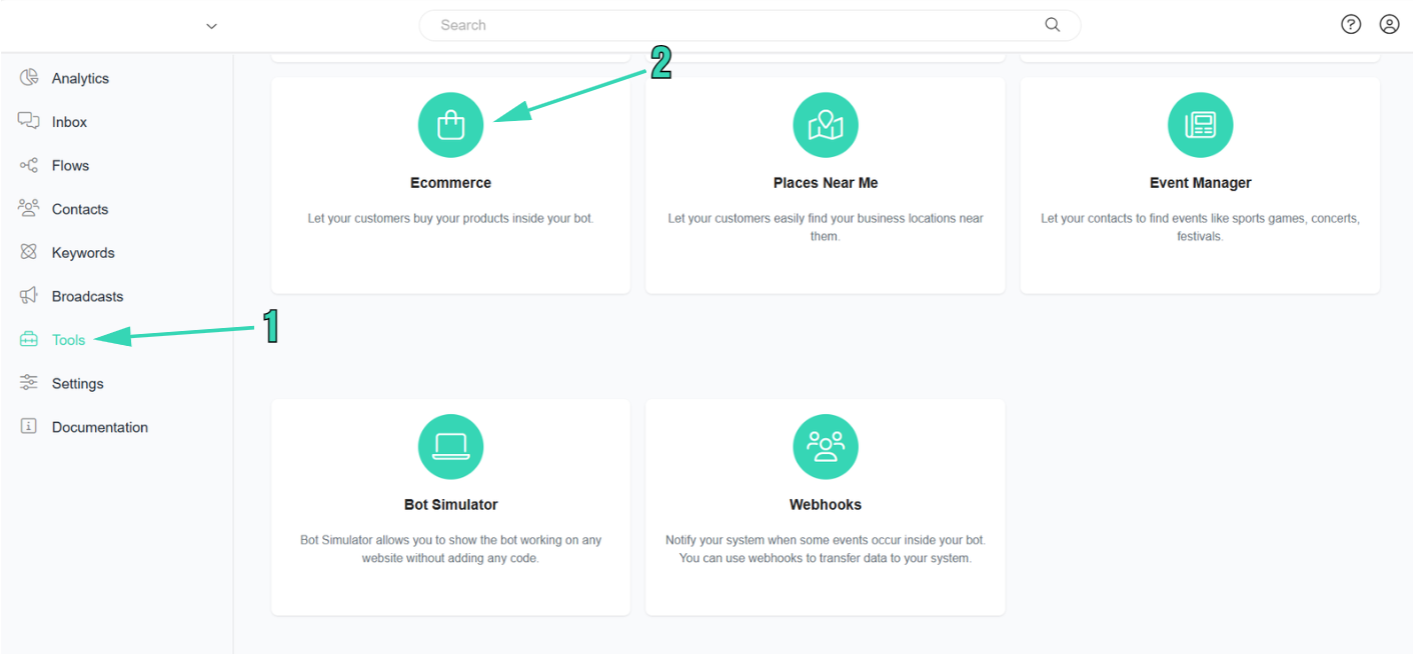
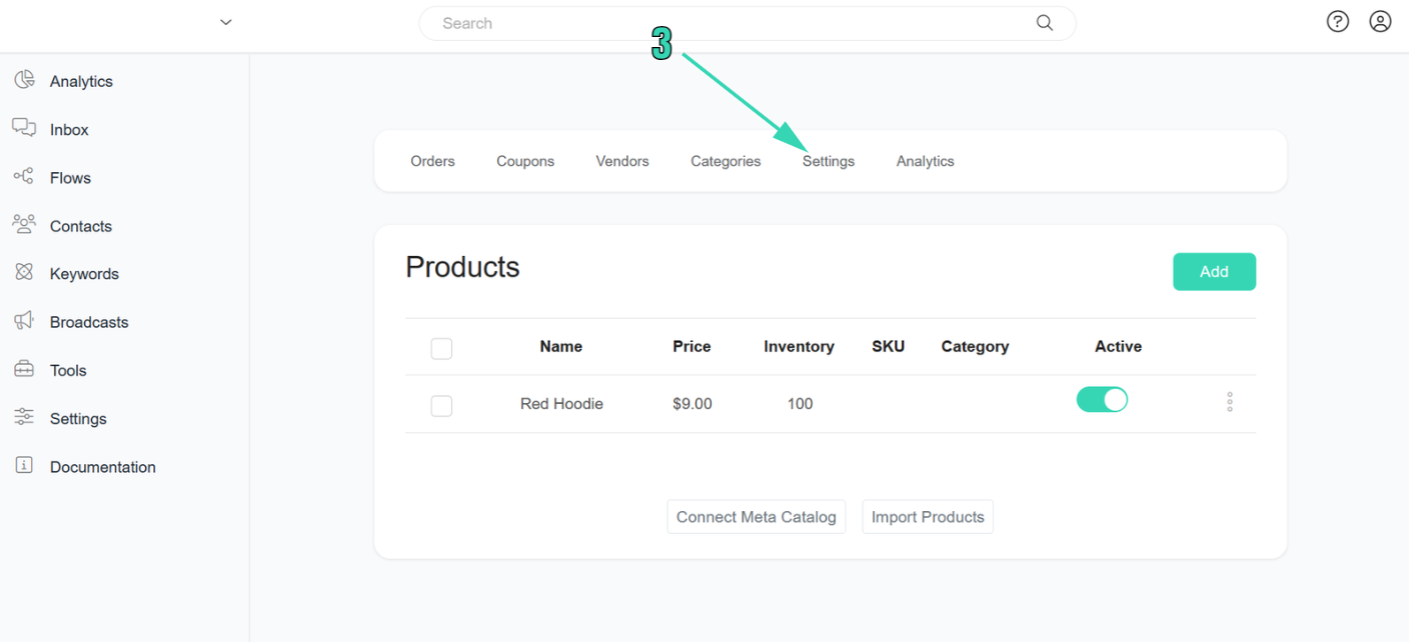 And this is what the checkout settings in the eCommerce section look like.
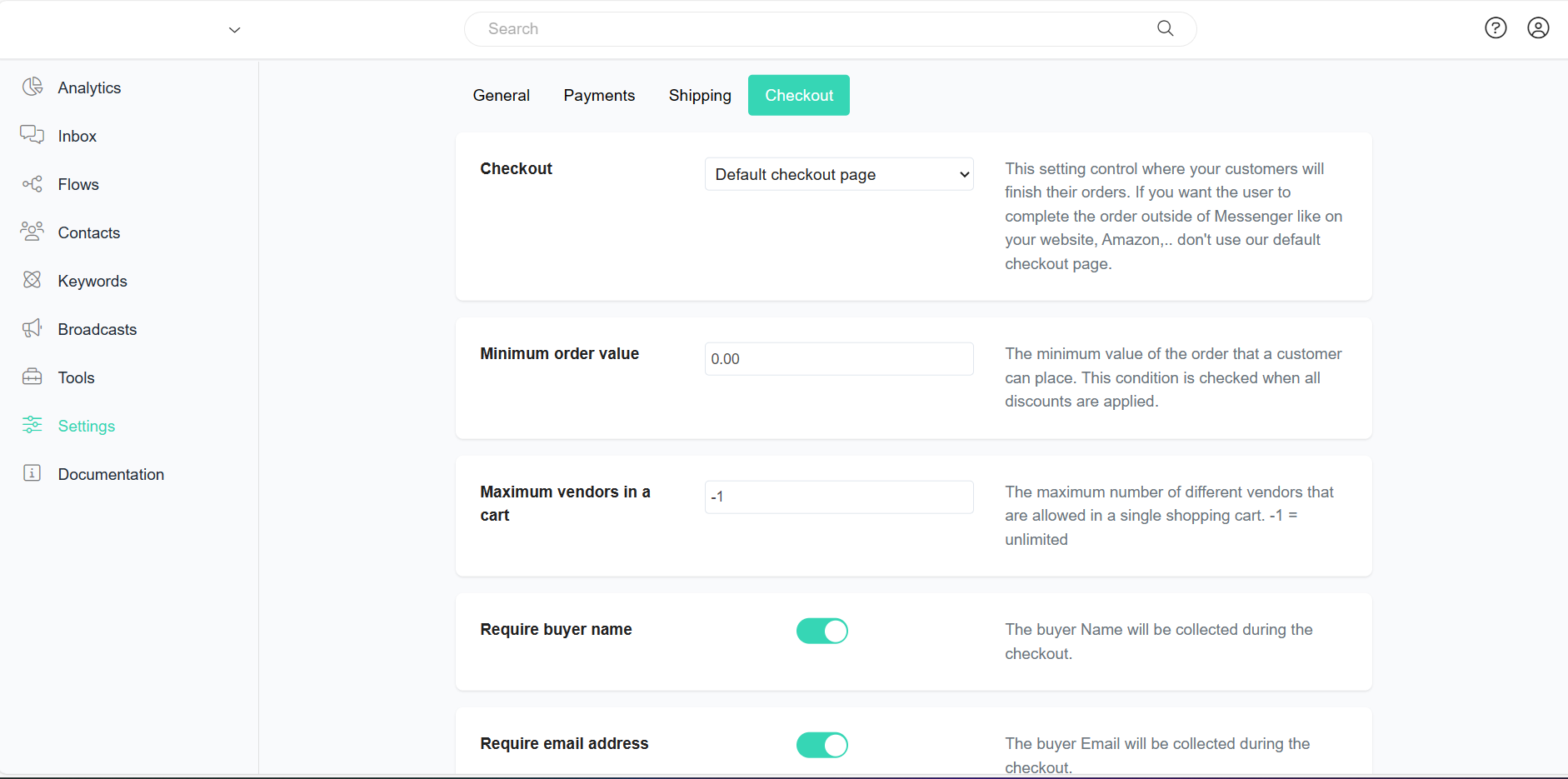
In this checkout settings:
Checkout
Checkout
This setting determines the final step of your customers’ orders. For Shopify stores, this setting is fixed, utilizing the default checkout page. However, if you prefer users to complete orders outside of Messenger, such as on your website or Amazon, avoid using our default checkout page. This provides flexibility for varied checkout experiences based on your business needs.
Minimum order value
Minimum order value
Specify your minimum order value here. This reflects the lowest amount for a customer’s order after all discounts have been applied. This condition is verified during the order processing.
Maximum vendors in a cart
Maximum vendors in a cart
The maximum number of different vendors that are allowed in a single shopping cart. Give “-1” if the number of vendors in the cart is unlimited or no-limit.
Require buyer name
Require buyer name
Activate this option to gather the customer’s name during the checkout process. It will be obligatory for customers to provide their names when completing the checkout.
Require email address
Require email address
Activate this option to collect the customer’s email address during the checkout process. Providing the customer’s email will be mandatory when checking out.
Require phone number
Require phone number
Activate this option to gather the customer’s contact details during the checkout process. It will be mandatory for customers to enter their phone number when checking out.
Require zip code
Require zip code
Enable this option to collect the customer’s zip code during the checkout process. Customers will be required to enter their zip code when checking out.