
Get started with Telegram Automation
Fliqr allows your business to automate conversations on Telegram by creating a Telegram bot.
Follow the below steps by step to create and connect your bot to Fliqr
1 – You will need to chat with the official Telegram BotFather (https://t.me/botfather) to create your bot. Use the /newbot command to create your bot. You can learn more here. After you created your bot you will receive your bot API token.
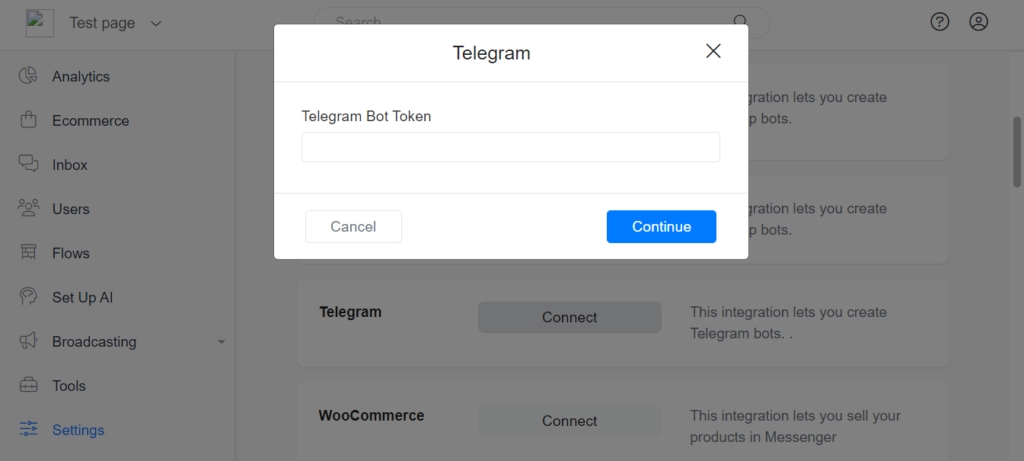
2 – Setup Telegram on Fliqr. Navigate to Settings > Integrations and find Telegram. You only need to specify your Telegram bot token and Fliqr will automatically integrate with Telegram and your bot is ready to respond to users.
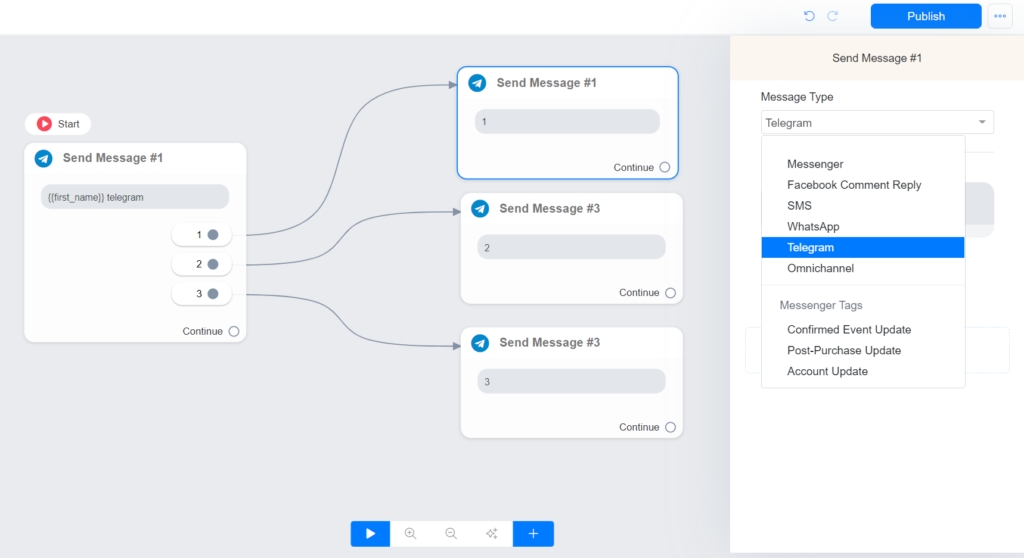
3 – On the flow builder, you will use Telegram or Omnichannel as a message type. We recommend that you use Omnichannel whenever possible.
Last updated